


Refill Toner (Instructions) Canon 051 / CRG051
Filling opening on a Canon i-SENSYS 051 LBP-160, LBP-162 dw, LBP-162 dwf, MF 260, MF 264 dw, MF 267 dw, MF 269 dw cartridge
[Caption id = "attachment_117432" align = "alignleft" width = "300"] Figure 1 [/ caption] Since the Canon 051 toner cartridge does not have a suitable opening for refilling the toner and dismantling a cartridge is very time-consuming, we recommend burning an opening in the cartridge. This best practice is quick, clean and safe. Place the refill opening as shown in the (red mark) illustration. The diameter of the opening is 15mm, so that the filling funnel can close properly with the cartridge and no toner escapes during the refilling process. If necessary, the hole must be deburred so that the cartridge can be reliably sealed when the opening is closed with fabric adhesive tape. Make sure that no plastic shavings get inside. These can impair or even destroy the printing mechanism. We therefore strongly advise against drilling the refill opening.
Remove old toner from the Canon 051 cartridge
[Caption id = "attachment_117433" align = "alignleft" width = "300"]
Figure 1 [/ caption] Since the Canon 051 toner cartridge does not have a suitable opening for refilling the toner and dismantling a cartridge is very time-consuming, we recommend burning an opening in the cartridge. This best practice is quick, clean and safe. Place the refill opening as shown in the (red mark) illustration. The diameter of the opening is 15mm, so that the filling funnel can close properly with the cartridge and no toner escapes during the refilling process. If necessary, the hole must be deburred so that the cartridge can be reliably sealed when the opening is closed with fabric adhesive tape. Make sure that no plastic shavings get inside. These can impair or even destroy the printing mechanism. We therefore strongly advise against drilling the refill opening.
Remove old toner from the Canon 051 cartridge
[Caption id = "attachment_117433" align = "alignleft" width = "300"]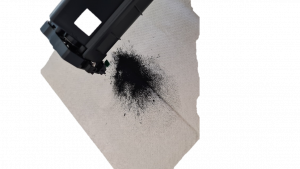 Figure 2 - Remove remaining toner powder [/ caption] Please carry out the following step outdoors: Due to the constant warming during the printing process, old toner powder has different properties than new toner, which leads to the formation of lumps when mixed. Therefore, the remaining toner must be removed from the toner storage chamber. As a rule, you will not have such a tool. Do not use a household vacuum cleaner to remove the waste toner. Common household dust filters do not hold back the fine toner components. If this gets into the electric motor of the vacuum cleaner, there is a risk of explosion and health risks from fine dust lurk. Empty the waste toner into a garbage can or garbage bag.
Pour new toner powder into a Canon 051 toner cartridge
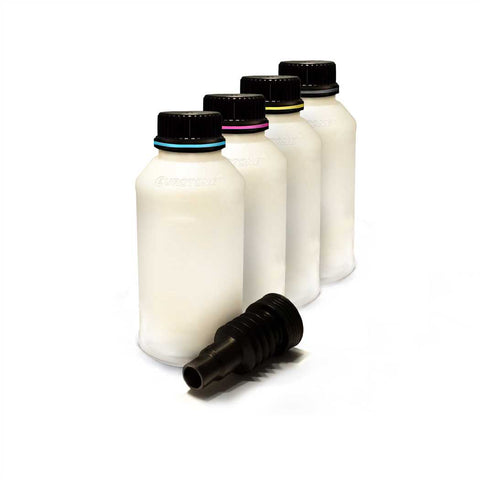
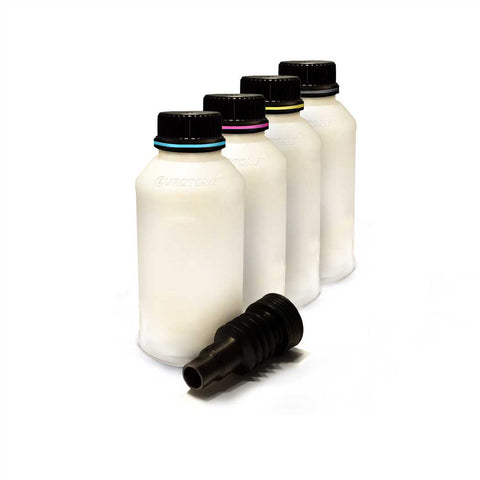
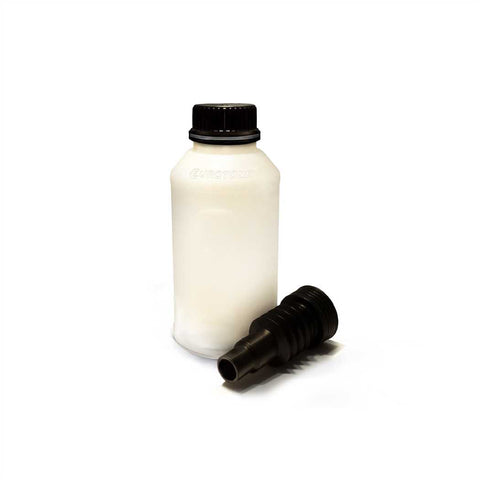
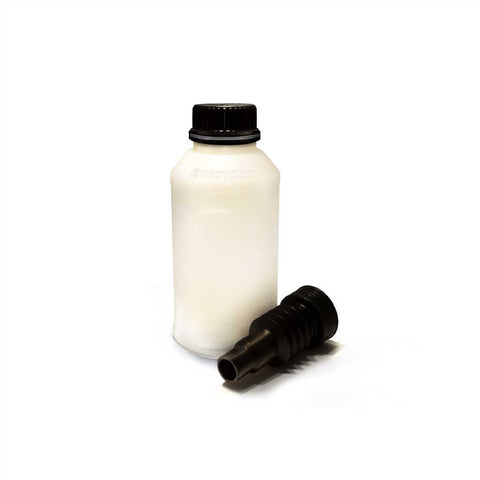
If the unused toner material has been removed from the toner chamber, the new toner powder for the Canon 051 can be refilled. But what is the best way to fill the heavy toner powder from the bottle into the cartridge? If you look from the side against a light source, you can see that the toner powder lies in the bottle as a compact, inert mass when at rest. We make use of a special property of the powder for filling. In this state, the refill toner from the bottle can easily be filled into the Canon 051 toner cartridge through the funnel. The filler opening of our plug welding tool is the ideal size for our enclosed toner hopper. In order not to spill the loosened toner powder, we put the filling opening of the empty cartridge onto the funnel of the toner bottle. Now turn the cartridge to allow the toner to flow out of the bottle. Press the funnel firmly into the filler opening at all times to prevent toner from leaking out during the filling process. Rock the toner cartridge back and forth so that the refill toner can be distributed in the cartridge and new toner can flow in. To shake up and distribute the powder during filling, it helps to occasionally push the cartridge lightly onto the surface - please always press the filling funnel firmly into the filling opening. Then the area around the filling opening should be cleaned and the opening carefully sealed with fabric adhesive tape. [caption id = "attachment_117434" align = "alignleft" width = "300"]
Figure 2 - Remove remaining toner powder [/ caption] Please carry out the following step outdoors: Due to the constant warming during the printing process, old toner powder has different properties than new toner, which leads to the formation of lumps when mixed. Therefore, the remaining toner must be removed from the toner storage chamber. As a rule, you will not have such a tool. Do not use a household vacuum cleaner to remove the waste toner. Common household dust filters do not hold back the fine toner components. If this gets into the electric motor of the vacuum cleaner, there is a risk of explosion and health risks from fine dust lurk. Empty the waste toner into a garbage can or garbage bag.
Pour new toner powder into a Canon 051 toner cartridge
If the unused toner material has been removed from the toner chamber, the new toner powder for the Canon 051 can be refilled. But what is the best way to fill the heavy toner powder from the bottle into the cartridge? If you look from the side against a light source, you can see that the toner powder lies in the bottle as a compact, inert mass when at rest. We make use of a special property of the powder for filling. In this state, the refill toner from the bottle can easily be filled into the Canon 051 toner cartridge through the funnel. The filler opening of our plug welding tool is the ideal size for our enclosed toner hopper. In order not to spill the loosened toner powder, we put the filling opening of the empty cartridge onto the funnel of the toner bottle. Now turn the cartridge to allow the toner to flow out of the bottle. Press the funnel firmly into the filler opening at all times to prevent toner from leaking out during the filling process. Rock the toner cartridge back and forth so that the refill toner can be distributed in the cartridge and new toner can flow in. To shake up and distribute the powder during filling, it helps to occasionally push the cartridge lightly onto the surface - please always press the filling funnel firmly into the filling opening. Then the area around the filling opening should be cleaned and the opening carefully sealed with fabric adhesive tape. [caption id = "attachment_117434" align = "alignleft" width = "300"] Figure 3 [/ caption] [caption id = "attachment_117435" align = "alignleft" width = "300"]
 Figure 4 [/ caption]
Chip of a Canon i-SENSYS 051 LBP-160, LBP-162 dw, LBP-162 dwf, MF 260, MF 264 dw, MF 267 dw, MF 269 dw cartridge:
Canon 051 toner cartridges are equipped with a level chip. This must be replaced every time it is refilled. The toner chip determines the toner level and forwards it to the printer. If the chip is “empty”, you have to refill your toner cartridge and replace the chip. Make a note of the orientation of the chip or take a picture. The chip of the Canon 051 cartridges is held in position by small welding points. These can easily be removed with a pair of pointed pliers or carefully removed with a sharp cutting tool. Now the loose chip can be pushed out of its holding rail. The new chip can be fixed in place with a small drop of super glue or hot glue. The use of double-sided tape is also possible. Touching the contacts of the new chip should be avoided during handling and attachment to the cartridge in order not to damage it (static charge, corrosion of the contacts). If the chip has been successfully exchanged, the cartridge can be reinserted in the printer and used as usual. Please note that toner cartridges cannot be refilled endlessly. Since built-in wear parts wear out over time, the quality of the print result will decrease after a few refill cycles. Then it's time for a new cartridge. [caption id = "attachment_117436" align = "alignleft" width = "300"]
Figure 4 [/ caption]
Chip of a Canon i-SENSYS 051 LBP-160, LBP-162 dw, LBP-162 dwf, MF 260, MF 264 dw, MF 267 dw, MF 269 dw cartridge:
Canon 051 toner cartridges are equipped with a level chip. This must be replaced every time it is refilled. The toner chip determines the toner level and forwards it to the printer. If the chip is “empty”, you have to refill your toner cartridge and replace the chip. Make a note of the orientation of the chip or take a picture. The chip of the Canon 051 cartridges is held in position by small welding points. These can easily be removed with a pair of pointed pliers or carefully removed with a sharp cutting tool. Now the loose chip can be pushed out of its holding rail. The new chip can be fixed in place with a small drop of super glue or hot glue. The use of double-sided tape is also possible. Touching the contacts of the new chip should be avoided during handling and attachment to the cartridge in order not to damage it (static charge, corrosion of the contacts). If the chip has been successfully exchanged, the cartridge can be reinserted in the printer and used as usual. Please note that toner cartridges cannot be refilled endlessly. Since built-in wear parts wear out over time, the quality of the print result will decrease after a few refill cycles. Then it's time for a new cartridge. [caption id = "attachment_117436" align = "alignleft" width = "300"]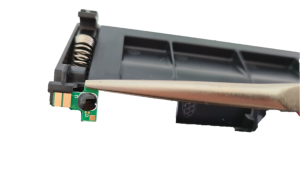 Figure 5 [/ caption]
Safety note for handling refill toner:
Refill toner and toner powder can be harmful to health if improperly handled. We expressly recommend the use of respiratory protection equipment or suction chambers when filling toner cartridges. In addition, toner powder and refill toner can be extremely flammable with an appropriate oxygen mixture. Also, be careful not to touch the photoconductor drum or expose it to direct sunlight. This can lead to incorrect printouts. Eurotone assumes no responsibility for the success or failure of the procedure described.
Figure 5 [/ caption]
Safety note for handling refill toner:
Refill toner and toner powder can be harmful to health if improperly handled. We expressly recommend the use of respiratory protection equipment or suction chambers when filling toner cartridges. In addition, toner powder and refill toner can be extremely flammable with an appropriate oxygen mixture. Also, be careful not to touch the photoconductor drum or expose it to direct sunlight. This can lead to incorrect printouts. Eurotone assumes no responsibility for the success or failure of the procedure described.
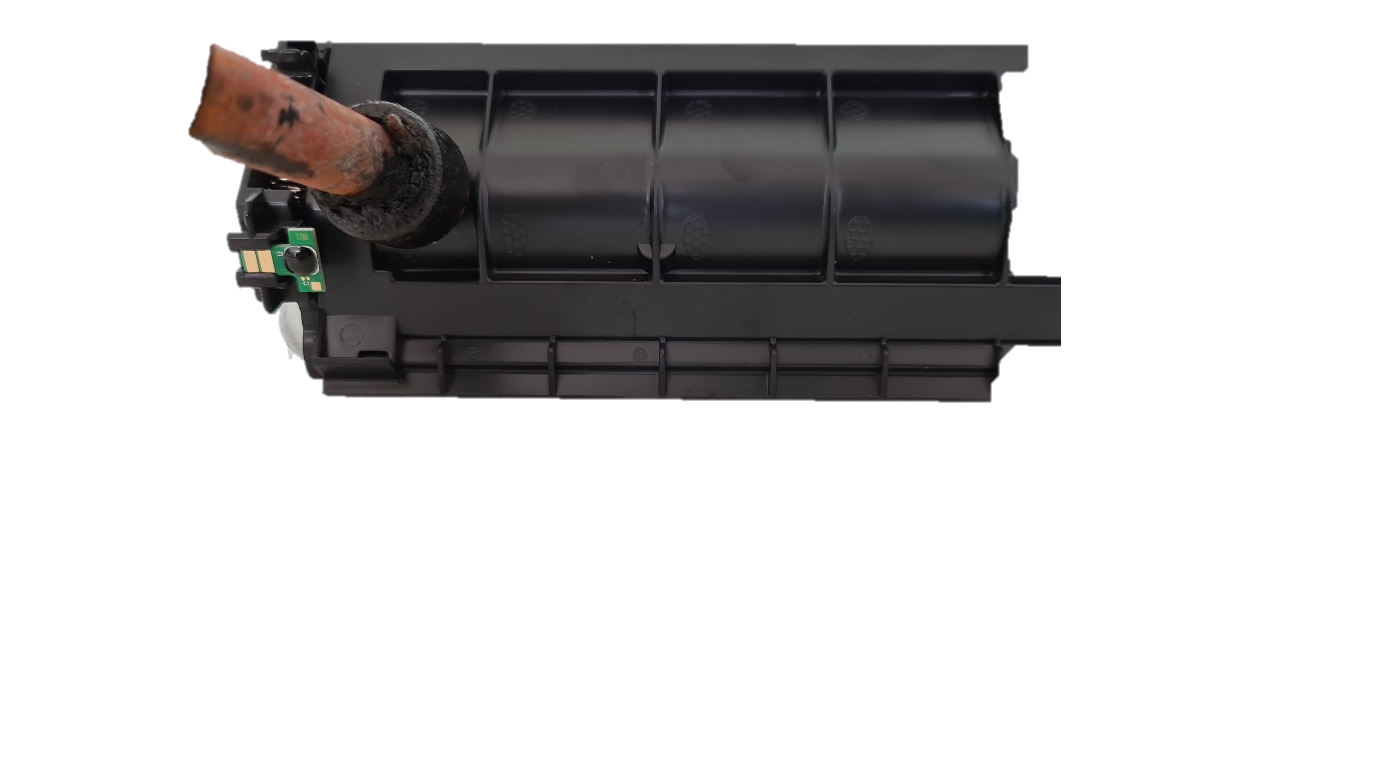 Figure 1 [/ caption] Since the Canon 051 toner cartridge does not have a suitable opening for refilling the toner and dismantling a cartridge is very time-consuming, we recommend burning an opening in the cartridge. This best practice is quick, clean and safe. Place the refill opening as shown in the (red mark) illustration. The diameter of the opening is 15mm, so that the filling funnel can close properly with the cartridge and no toner escapes during the refilling process. If necessary, the hole must be deburred so that the cartridge can be reliably sealed when the opening is closed with fabric adhesive tape. Make sure that no plastic shavings get inside. These can impair or even destroy the printing mechanism. We therefore strongly advise against drilling the refill opening.
Remove old toner from the Canon 051 cartridge
[Caption id = "attachment_117433" align = "alignleft" width = "300"]
Figure 1 [/ caption] Since the Canon 051 toner cartridge does not have a suitable opening for refilling the toner and dismantling a cartridge is very time-consuming, we recommend burning an opening in the cartridge. This best practice is quick, clean and safe. Place the refill opening as shown in the (red mark) illustration. The diameter of the opening is 15mm, so that the filling funnel can close properly with the cartridge and no toner escapes during the refilling process. If necessary, the hole must be deburred so that the cartridge can be reliably sealed when the opening is closed with fabric adhesive tape. Make sure that no plastic shavings get inside. These can impair or even destroy the printing mechanism. We therefore strongly advise against drilling the refill opening.
Remove old toner from the Canon 051 cartridge
[Caption id = "attachment_117433" align = "alignleft" width = "300"] Figure 2 - Remove remaining toner powder [/ caption] Please carry out the following step outdoors: Due to the constant warming during the printing process, old toner powder has different properties than new toner, which leads to the formation of lumps when mixed. Therefore, the remaining toner must be removed from the toner storage chamber. As a rule, you will not have such a tool. Do not use a household vacuum cleaner to remove the waste toner. Common household dust filters do not hold back the fine toner components. If this gets into the electric motor of the vacuum cleaner, there is a risk of explosion and health risks from fine dust lurk. Empty the waste toner into a garbage can or garbage bag.
Pour new toner powder into a Canon 051 toner cartridge
If the unused toner material has been removed from the toner chamber, the new toner powder for the Canon 051 can be refilled. But what is the best way to fill the heavy toner powder from the bottle into the cartridge? If you look from the side against a light source, you can see that the toner powder lies in the bottle as a compact, inert mass when at rest. We make use of a special property of the powder for filling. In this state, the refill toner from the bottle can easily be filled into the Canon 051 toner cartridge through the funnel. The filler opening of our plug welding tool is the ideal size for our enclosed toner hopper. In order not to spill the loosened toner powder, we put the filling opening of the empty cartridge onto the funnel of the toner bottle. Now turn the cartridge to allow the toner to flow out of the bottle. Press the funnel firmly into the filler opening at all times to prevent toner from leaking out during the filling process. Rock the toner cartridge back and forth so that the refill toner can be distributed in the cartridge and new toner can flow in. To shake up and distribute the powder during filling, it helps to occasionally push the cartridge lightly onto the surface - please always press the filling funnel firmly into the filling opening. Then the area around the filling opening should be cleaned and the opening carefully sealed with fabric adhesive tape. [caption id = "attachment_117434" align = "alignleft" width = "300"]
Figure 2 - Remove remaining toner powder [/ caption] Please carry out the following step outdoors: Due to the constant warming during the printing process, old toner powder has different properties than new toner, which leads to the formation of lumps when mixed. Therefore, the remaining toner must be removed from the toner storage chamber. As a rule, you will not have such a tool. Do not use a household vacuum cleaner to remove the waste toner. Common household dust filters do not hold back the fine toner components. If this gets into the electric motor of the vacuum cleaner, there is a risk of explosion and health risks from fine dust lurk. Empty the waste toner into a garbage can or garbage bag.
Pour new toner powder into a Canon 051 toner cartridge
If the unused toner material has been removed from the toner chamber, the new toner powder for the Canon 051 can be refilled. But what is the best way to fill the heavy toner powder from the bottle into the cartridge? If you look from the side against a light source, you can see that the toner powder lies in the bottle as a compact, inert mass when at rest. We make use of a special property of the powder for filling. In this state, the refill toner from the bottle can easily be filled into the Canon 051 toner cartridge through the funnel. The filler opening of our plug welding tool is the ideal size for our enclosed toner hopper. In order not to spill the loosened toner powder, we put the filling opening of the empty cartridge onto the funnel of the toner bottle. Now turn the cartridge to allow the toner to flow out of the bottle. Press the funnel firmly into the filler opening at all times to prevent toner from leaking out during the filling process. Rock the toner cartridge back and forth so that the refill toner can be distributed in the cartridge and new toner can flow in. To shake up and distribute the powder during filling, it helps to occasionally push the cartridge lightly onto the surface - please always press the filling funnel firmly into the filling opening. Then the area around the filling opening should be cleaned and the opening carefully sealed with fabric adhesive tape. [caption id = "attachment_117434" align = "alignleft" width = "300"] Figure 3 [/ caption] [caption id = "attachment_117435" align = "alignleft" width = "300"]
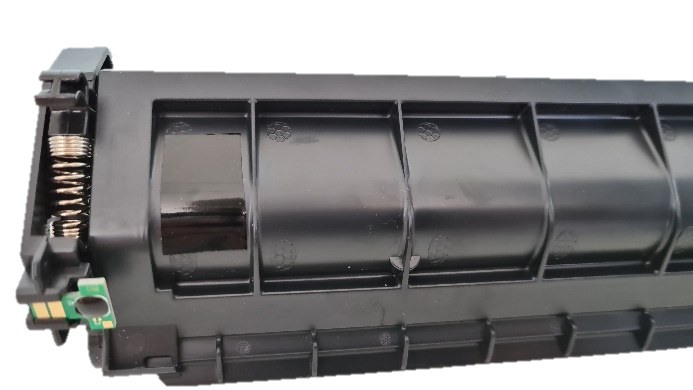 Figure 4 [/ caption]
Chip of a Canon i-SENSYS 051 LBP-160, LBP-162 dw, LBP-162 dwf, MF 260, MF 264 dw, MF 267 dw, MF 269 dw cartridge:
Canon 051 toner cartridges are equipped with a level chip. This must be replaced every time it is refilled. The toner chip determines the toner level and forwards it to the printer. If the chip is “empty”, you have to refill your toner cartridge and replace the chip. Make a note of the orientation of the chip or take a picture. The chip of the Canon 051 cartridges is held in position by small welding points. These can easily be removed with a pair of pointed pliers or carefully removed with a sharp cutting tool. Now the loose chip can be pushed out of its holding rail. The new chip can be fixed in place with a small drop of super glue or hot glue. The use of double-sided tape is also possible. Touching the contacts of the new chip should be avoided during handling and attachment to the cartridge in order not to damage it (static charge, corrosion of the contacts). If the chip has been successfully exchanged, the cartridge can be reinserted in the printer and used as usual. Please note that toner cartridges cannot be refilled endlessly. Since built-in wear parts wear out over time, the quality of the print result will decrease after a few refill cycles. Then it's time for a new cartridge. [caption id = "attachment_117436" align = "alignleft" width = "300"]
Figure 4 [/ caption]
Chip of a Canon i-SENSYS 051 LBP-160, LBP-162 dw, LBP-162 dwf, MF 260, MF 264 dw, MF 267 dw, MF 269 dw cartridge:
Canon 051 toner cartridges are equipped with a level chip. This must be replaced every time it is refilled. The toner chip determines the toner level and forwards it to the printer. If the chip is “empty”, you have to refill your toner cartridge and replace the chip. Make a note of the orientation of the chip or take a picture. The chip of the Canon 051 cartridges is held in position by small welding points. These can easily be removed with a pair of pointed pliers or carefully removed with a sharp cutting tool. Now the loose chip can be pushed out of its holding rail. The new chip can be fixed in place with a small drop of super glue or hot glue. The use of double-sided tape is also possible. Touching the contacts of the new chip should be avoided during handling and attachment to the cartridge in order not to damage it (static charge, corrosion of the contacts). If the chip has been successfully exchanged, the cartridge can be reinserted in the printer and used as usual. Please note that toner cartridges cannot be refilled endlessly. Since built-in wear parts wear out over time, the quality of the print result will decrease after a few refill cycles. Then it's time for a new cartridge. [caption id = "attachment_117436" align = "alignleft" width = "300"] Figure 5 [/ caption]
Safety note for handling refill toner:
Refill toner and toner powder can be harmful to health if improperly handled. We expressly recommend the use of respiratory protection equipment or suction chambers when filling toner cartridges. In addition, toner powder and refill toner can be extremely flammable with an appropriate oxygen mixture. Also, be careful not to touch the photoconductor drum or expose it to direct sunlight. This can lead to incorrect printouts. Eurotone assumes no responsibility for the success or failure of the procedure described.
Figure 5 [/ caption]
Safety note for handling refill toner:
Refill toner and toner powder can be harmful to health if improperly handled. We expressly recommend the use of respiratory protection equipment or suction chambers when filling toner cartridges. In addition, toner powder and refill toner can be extremely flammable with an appropriate oxygen mixture. Also, be careful not to touch the photoconductor drum or expose it to direct sunlight. This can lead to incorrect printouts. Eurotone assumes no responsibility for the success or failure of the procedure described.

- Chip change instructions
- Toner / drum reset
- test pages
- Refill instructions
- Canon - refill toner yourself (instructions)
- Refill Toner (Instructions) Canon 051H / CRG051H
- Refill Toner (Instructions) Canon 051 / CRG051
- Refill toner (instructions) Canon FX10, 510, L-380, L-380-S, L-390, L-400, PC-D-320, PC-D-340
- Refill Toner (Instructions) Canon 703 / CRG703
- Refill Toner (Instructions) Canon CEXV40 - IR1133iF, IR1133 3480B006
- Refill Toner (Instructions) Canon 720H / CRG720H
- Refill Toner (Instructions) Canon 720 / CRG720
- Refill Toner (Instructions) Canon 719 / CRG719
- Refill Toner (Instructions) Canon 719H / CRG719H
- Refill toner (instructions) Canon 715 / CRG 715
- Refill Toner (Instructions) Canon 715H / CRG 715H
- Refill toner (instructions) Canon 708 / CRG 708
- Refill Toner (Instructions) Canon 708H / CRG 708H
- Refill Toner (Instructions) Canon 725 / CRG725
- Refill Toner (Instructions) Canon 713 / CRG713
- Refill Toner (Instructions) Canon 712 / CRG712
- Refill Toner (Instructions) Canon EP-52
- Refill Toner (Instructions) Canon 737 / CRG737
- Refill Toner (Instructions) Canon 728 / CRG728
- Refill Toner (Instructions) Canon 726 / CRG726
- Xerox - refill toner yourself (instructions)
- Tally - refill toner yourself (instructions)
- Samsung - refill toner yourself (instructions)
- Ricoh - refill toner yourself (instructions)
- Philips - refill toner yourself (instructions)
- Panasonic - refill toner yourself (instructions)
- Olivetti - refill toner yourself (instructions)
- OKI - refill toner yourself (instructions)
- Lexmark - refill toner yourself (instructions)
- Konica Minolta - refill toner yourself (instructions)
- Kodak - refill toner yourself (instructions)
- Epson - refill toner yourself (instructions)
- Dell - refill toner yourself (instructions)
- Brother - refill toner yourself (instructions)
- Refill Toner (Instructions) Brother TN3060, DCP-8040, DCP-8045, HL-5130, HL-5140, HL-5150, HL-5170, MFC-8220, MFC-8240, MFC-8240-LT, MFC-8440:
- Refill Toner (Instructions) Brother TN-6600, 4100, 4750, 5750, 8350, 8360, 8750, 8750-P, DCP-1200/1400, HL-1030/1200 - 1270, HL-1430 - 1470, HL-P-2500 / P-2600, MFC-8300/8500/8600/8700, MFC-9600, MFC-9650, MFC-9660, MFC-9700 - 9760, MFC-9800, MFC-9850 - 9880
- Refill Toner (Instructions) Brother TN-7600, DCP-8020, DCP-8025, HL-1600, HL-1630, HL-1640, HL-1650, HL-1670, HL-1850, HL-1870, HL-5030, HL -5040, HL- 5050, HL-5070, MFC-8420, MFC-8820
- Refill Toner (Instructions) Brother TN-3280, DCP-8070, DCP-8080, DCP-8085, DCP-8880, DCP-8890, HL-5340, HL-5350, HL-5370, HL-5380, MFC-8370, MFC -8380, MFC-8880, MFC-8885, MFC-8890:
- Refill Toner (Instructions) Brother TN-3170, DCP-8060, DCP-8065, HL-3145, HL-5200, HL-5240, HL-5250, HL-5270, HL-5280, MFC-8460, MFC-8670, MFC -8860, MFC-8870:
- Refill toner (instructions) Brother MFC-L 2740 CW MFC-L 2740 DW TN-2320
- Refill toner (instructions) Brother MFC-L 2740 CW MFC-L 2740 DW TN-2310
- Refill Toner (Instructions) Brother TN-2110, TN-2120, HL-2140, HL-2170
- Refill toner (instructions) Brother TN 2220, 2840, 2845,2940, 2950 7060, DCP-7060, DCP-7060-D, DCP-7065-N, DCP-7860, MFC-7860-DN, MFC-XNUMX-DW
- Refill toner (instructions) Brother TN 2010-XXL, HL2135W, HL2135, HL2132, HL2130R, HL2130, HL2132R, DCP7055W, DCP7055, DCP7057
- Refill toner (instructions) Brother TN 2010, HL2135W, HL2135, HL2132, HL2130R, HL2130, HL2132R, DCP7055W, DCP7055, DCP7057, compatible with TN-2010
- Refill toner (instructions) Brother TN 2005, TN 2025, HL 2030, HL 2040, HL 2070
- Refill toner (instructions) Brother TN 2000, TN 2025, HL 2030, HL 2040, HL 2070
- Refill HP toner yourself (instructions)
- Refill toner (instructions) HP 17A CF217A, compatible with HP M102, M130, M132, M134
- Refill toner (instructions) HP 17X CF217X, compatible with HP M102, M130, M132, M134
- Refill Toner (Instructions) HP 78A CE278A
- Refill Toner (Instructions) HP C4127X, 27X
- Refill toner (instructions) HP C7115A, 15A compatible with Laserjet 1000, 1005, 1220, 1200, 3320, 3300, 3310, 3330, 3380
- Refill toner (instructions) HP C8061D, 61X
- Refill Toner (Instructions) HP CB435A / 35A
- Refill Toner (Instructions) HP CB436A / 36A
- Refill Toner (Instructions) HP CE285A / 85A
- Refill Toner (Instructions) HP CE505A, P-2034, P-2035, P-2036, P-2037, P-2053, P-2054, P-2055, P-2056, P-2057
- Refill Toner (Instructions) HP CE505X, P-2034, P-2035, P-2036, P-2037, P-2053, P-2054, P-2055, P-2056, P-2057
- Refill toner (instructions) HP CF230A, compatible with HP M203dw, M203, M203dn, MFP M227fdn, MFP M227fdw, MFP M227sdn, MFP M227
- Refill toner (instructions) HP CF230X, compatible with HP M203dw, M203, M203dn, MFP M227fdn, MFP M227fdw, MFP M227sdn, MFP M227
- Refill toner (instructions) HP CF280A for Laser Jet Pro 400 M 401, Pro 400 MFP M 425 dn
- Refill toner (instructions) HP CF280X for Laser Jet Pro 400 M 401, Pro 400 MFP M 425 dn
- Refill Toner (Instructions) HP CF283A, 83A
- Refill Toner (Instructions) HP CF283X, 83X
- Refill Toner (Instructions) HP Q1338A, 38A, HP Laser Jet 4200 Series
- Refill toner (instructions) HP Q1339A, 39A HP Laser Jet 4300, HP 4300 DTN, HP 4300 DTNS, HP 4300 DTNSL, HP 4300 N, HP 4300 TN
- Refill toner (instructions) HP Q2612A, HP 1010, 1012, 1015
- Refill toner (instructions) HP Q2612X, HP 3052, 3055, 3020AIO
- Refill toner (instructions) HP Q2613X, 13X compatible with Laserjet 1300, 1300N, 1300T, 1300XI,
- Refill toner (instructions) HP Q2624A, 24A compatible with HP Laserjet 1150
- Refill Toner (Instructions) HP Q5945A, 45A - HP LaserJet 4345 Series
- Refill Toner (Instructions) HP Q5942X, 42X - HP Laser Jet 4250 Series, HP 4350 Series
- Refill Toner (Instructions) HP Q5949A, 49A - HP 1160, HP 1320 Series, HP 3390, HP 3392
- Refill Toner (Instructions) HP Q5949X, 49X - HP 1160, HP 1320 Series, HP 3390, HP 3392
- Refill toner (instructions) HP Q7553A, 53A - HP LaserJet Professional P 2000, P 2011, P 2012, P 2013, P 2014, P 2015, HP M 2700, HP M 2727
- Refill toner (instructions) HP Q7553X, 53X - HP LaserJet Professional P 2000, P 2011, P 2012, P 2013, P 2014, P 2015, HP M 2700, HP M 2727
- Kyocera - refill toner yourself (instructions)
- Refill Toner (Instructions) Kyocera TK-17
- Refill Toner (Instructions) Kyocera TK-18
- Refill Toner (Instructions) Kyocera TK-1170
- Refill Toner (Instructions) Kyocera TK-1160
- Refill Toner (Instructions) Kyocera TK-1150
- Refill Toner (Instructions) Kyocera TK-1140
- Refill Toner (Instructions) Kyocera TK-1130
- Refill Toner (Instructions) Kyocera TK-100
- Refill Toner (Instructions) Kyocera TK-130
- Refill Toner (Instructions) Kyocera TK-140
- Refill Toner (Instructions) Kyocera TK-160
- Refill Toner (Instructions) Kyocera TK-170
- Triumph-Adler - refill toner yourself (instructions)
- Utax - refill toner yourself (instructions)
- Canon - refill toner yourself (instructions)